


Manage settings
Manage restaurant credit
Configure the credit system for the club restaurant
Plugin.ch makes it easy to manage a credit system for your club's restaurant or cafeteria. Members can use a prepaid balance for their purchases, simplifying transaction management. Activate and configure this service in a few steps.
Access restaurant credit management
In the main menu, select Settings, then Manage restaurant credit. This section allows you to configure all aspects of the credit system.
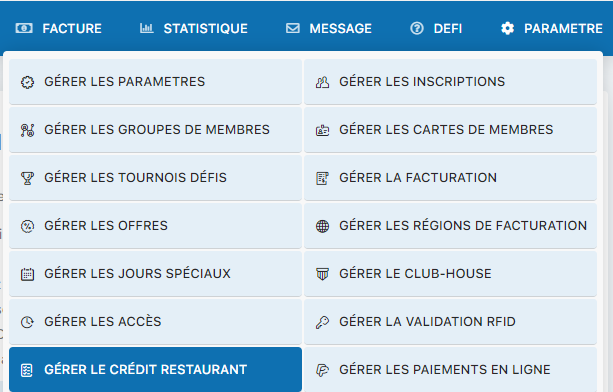
Settings menu - Manage restaurant credit
Activate the credit system
To activate restaurant credit, select Yes in the initial configuration screen. This action will activate the system and allow you to continue with the detailed settings.
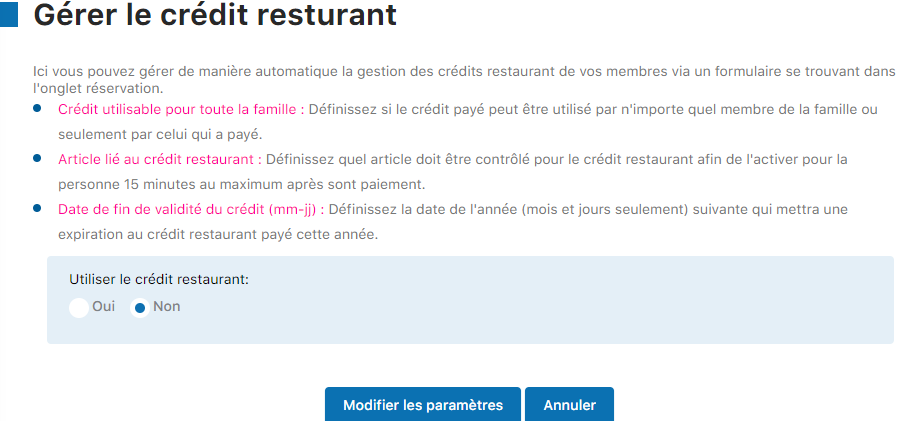
Activation screen - Select Yes
Configure the detailed settings
The complete configuration panel presents all the available settings for restaurant credit. Fill in each field according to your club's needs. Check the built-in help for detailed explanations of each setting.
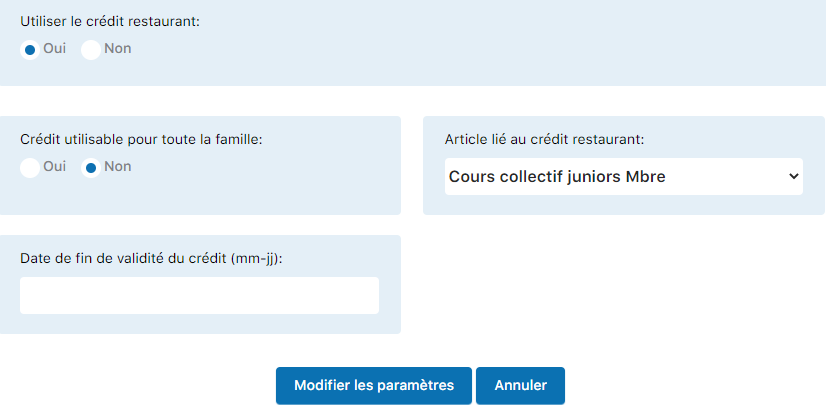
Complete restaurant credit configuration panel
Good to know
The contextual help in the panel provides complete information on each field, including acceptable limits and recommended values.
Plugin.ch Tutorial — Manage settings